

cult starter app
is a satirical guiding app that teaches how to form your very first cult.
✦
Practise : Graphic User Interface @ CIID
Timeline: 3 weeks
Project team: Individual project
Tools: Figma and Origami.
FULL CONCEPT VIDEO ↓
HOW DID I GET THERE?
⚑
The brief was to build a mobile interactive app experience that tells a story of something that we're passionate about. Not that I am passionate about forming a cult but I've always find the concept of cults intriguing.
We had to frame the story with a generic audience in mind thus the challenge was to craft the appropriate context and level of detail a beginner would need to understand.
↑ During the research of the topic, I was attracted to the satirical tone of its narrative. It's such an entertaining yet effective way to talk through such abstract topic.
After spending a few days scratching the surface of this dark side of humanity, what struck me the most was the cult ability to lure followers into devoting and believed in anything they said, that ultimately gave cult leader's power to do anything unjust.
It got me thinking,
What if, people knows what it takes to make a cult? Would they still fall for one? Would they want to start one of their own? Would they even realize they are in one?
The thought of having a "dummies guide to make a cult" in an app form got my imagination running. Excited to explore more of the idea, I quickly moved into synthesizing all the data gathered and started prototyping a storyboard draft for the app flow.
storyboarding & prototyping
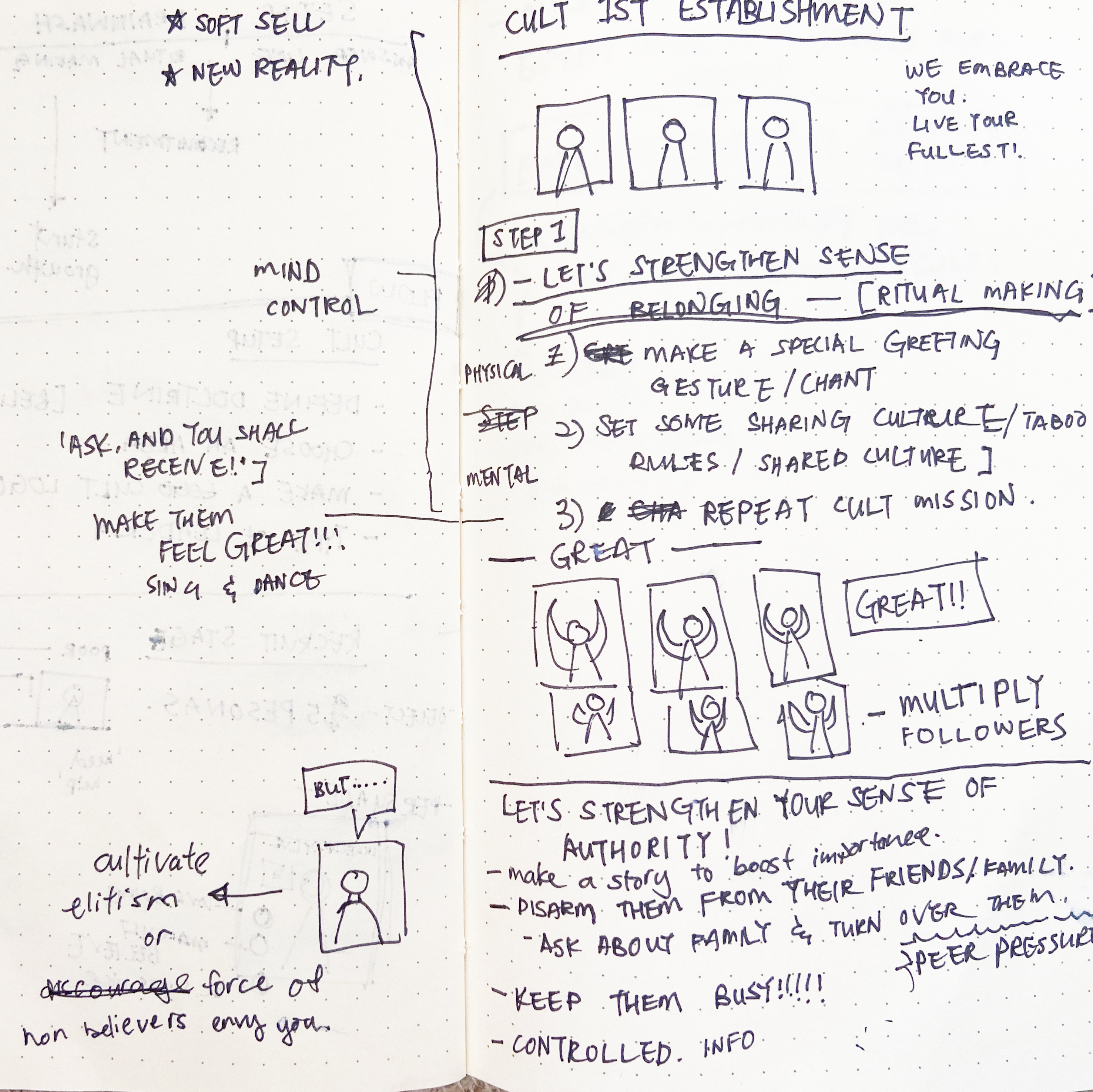
From the research, I learned that there are sequential key stages when it comes to cult making. To make it easy for the user to follow, I've designed a linear flow that is divided into 5 key chapters.
Setting up - Recruiting - Sugar Coating - Brainwashing - Exploiting
An initial mock was done in Figma to have a glance view of all the necessary content and a rough story flow. The visual style wasn't given priority at this stage yet, as the goal was to trim out unnecessary details and to keep only the fun and essential.

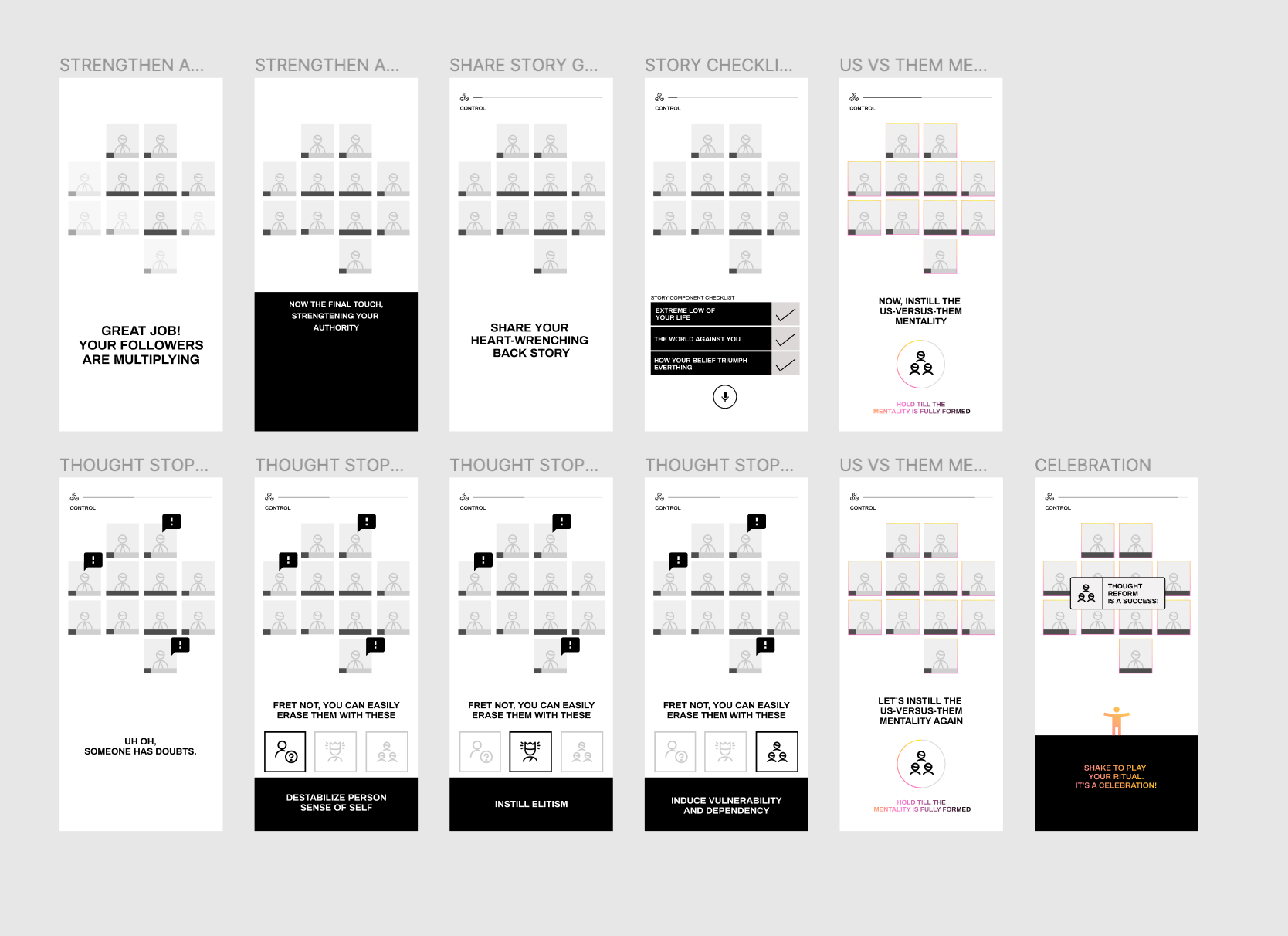
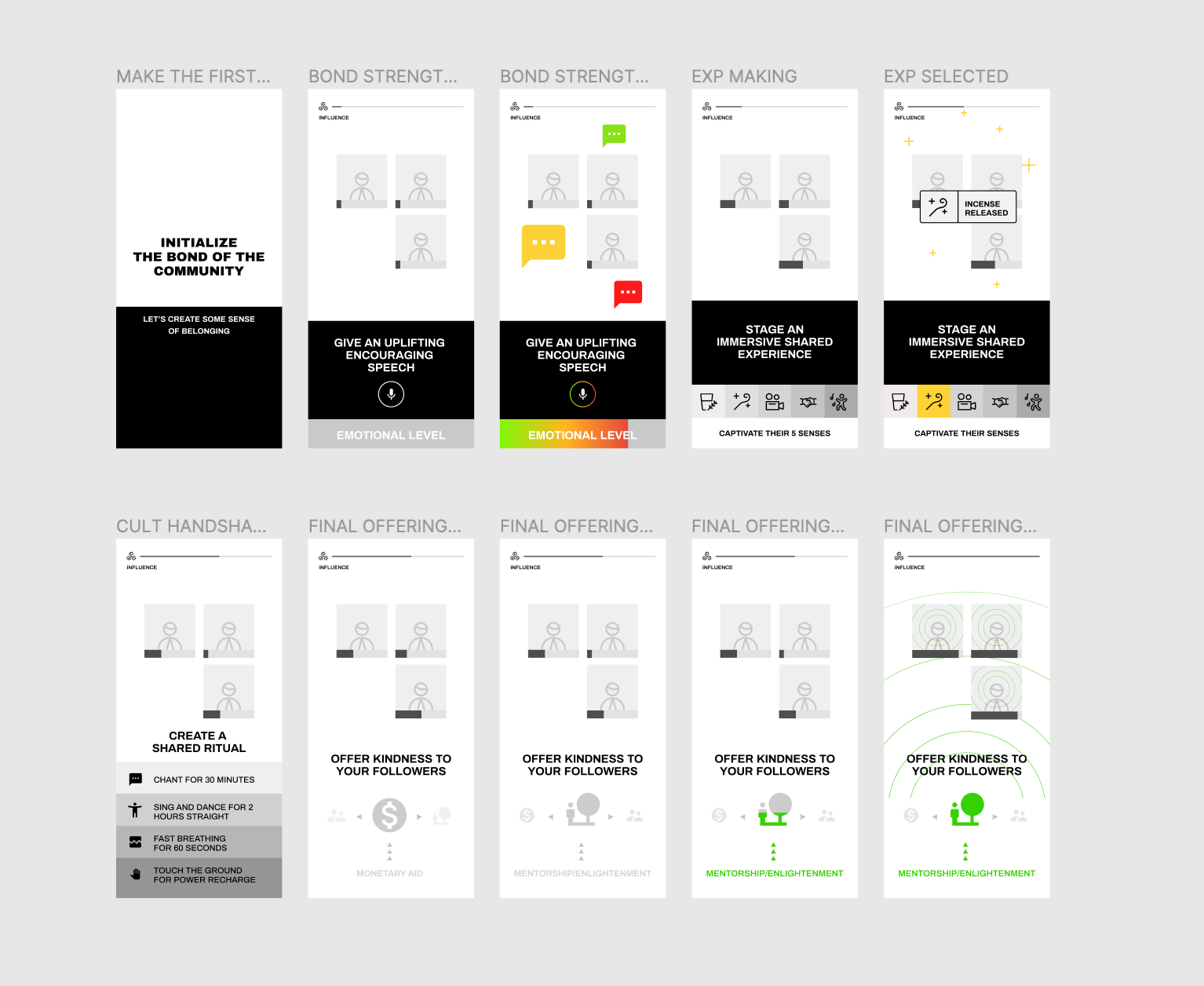
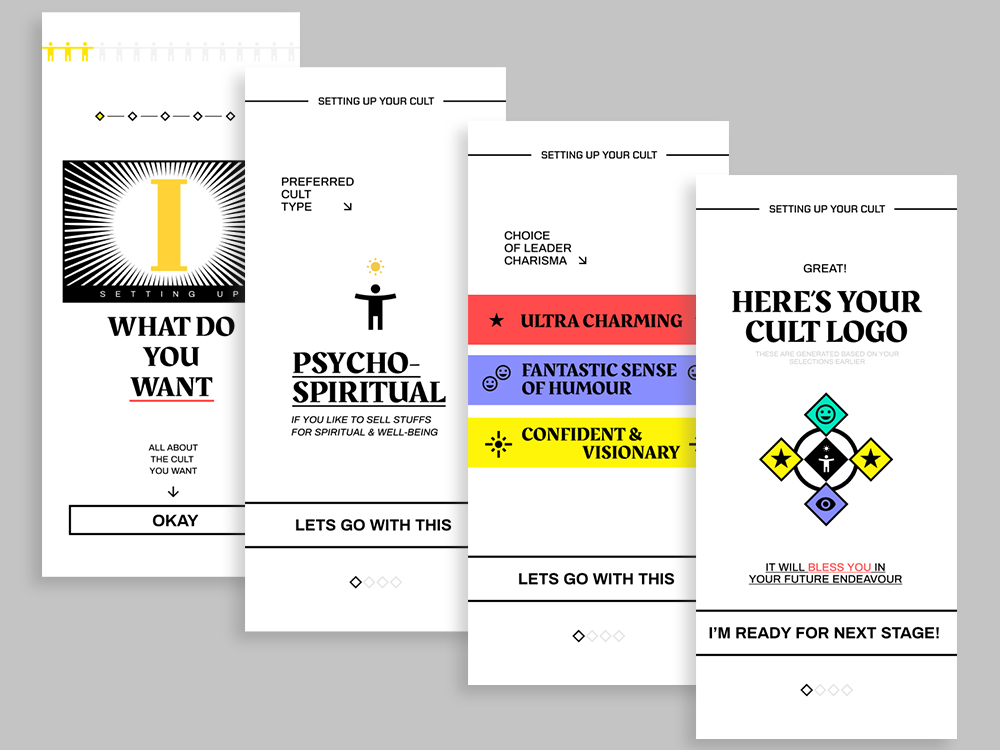
The visual design got iterated along the way as I gathered more insights of what works/doesn't work from various feedback sessions.
Certain details were omitted as it became a distraction for users to engage in the storyflow.
The look and feel was kept between a balanced mix of clear UI design principles with some anti-design flair to match the nature of the topic.
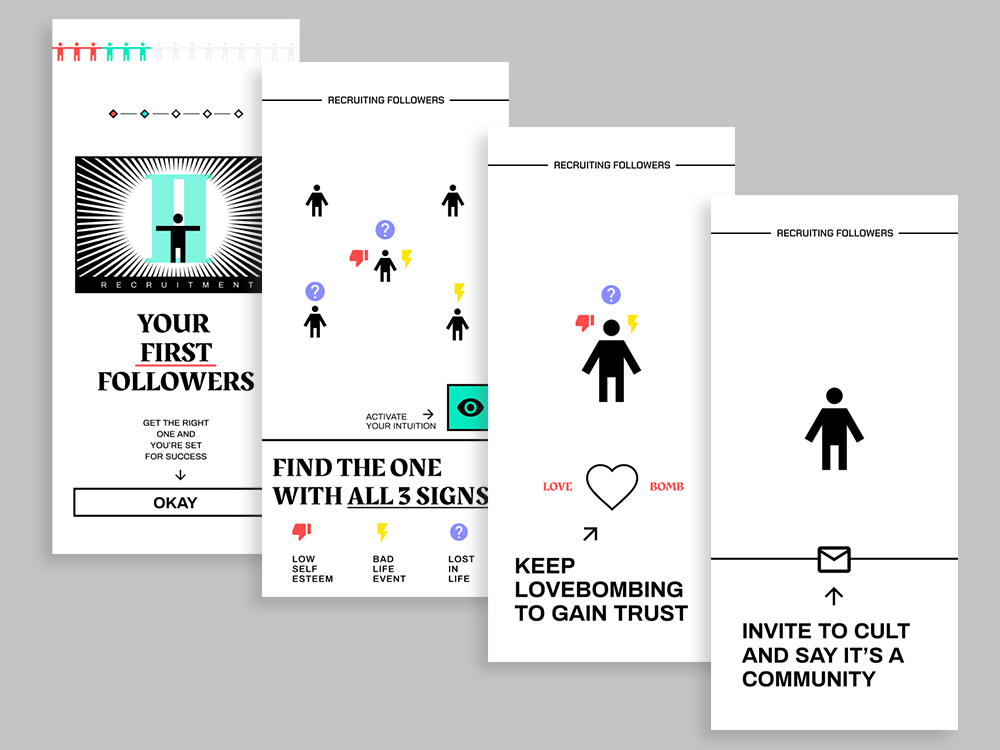
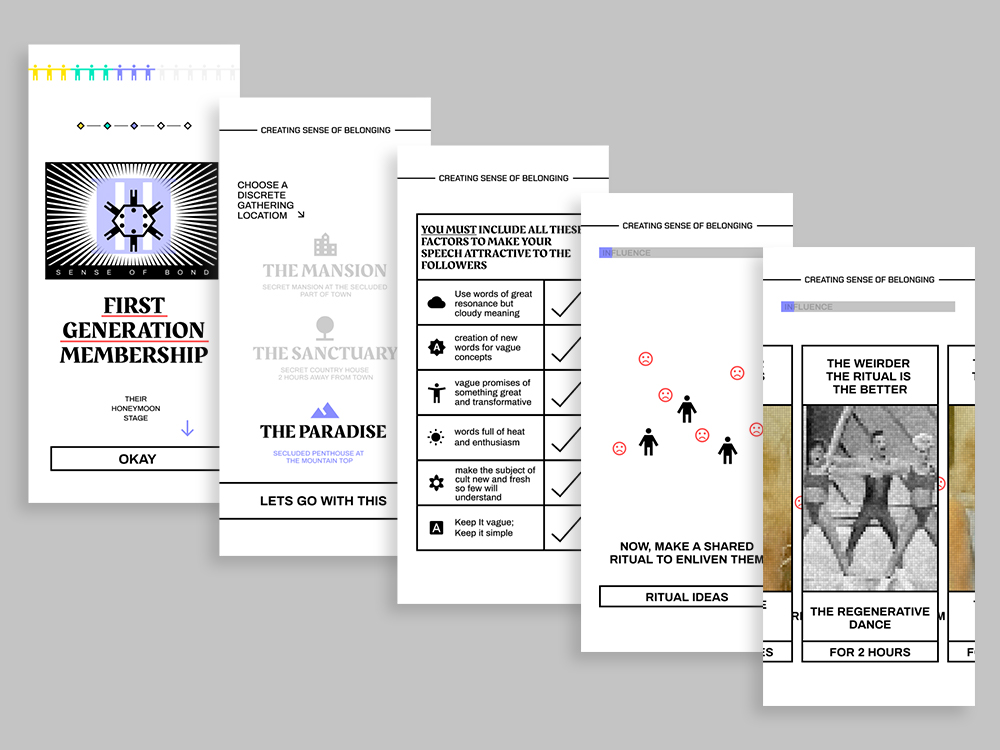
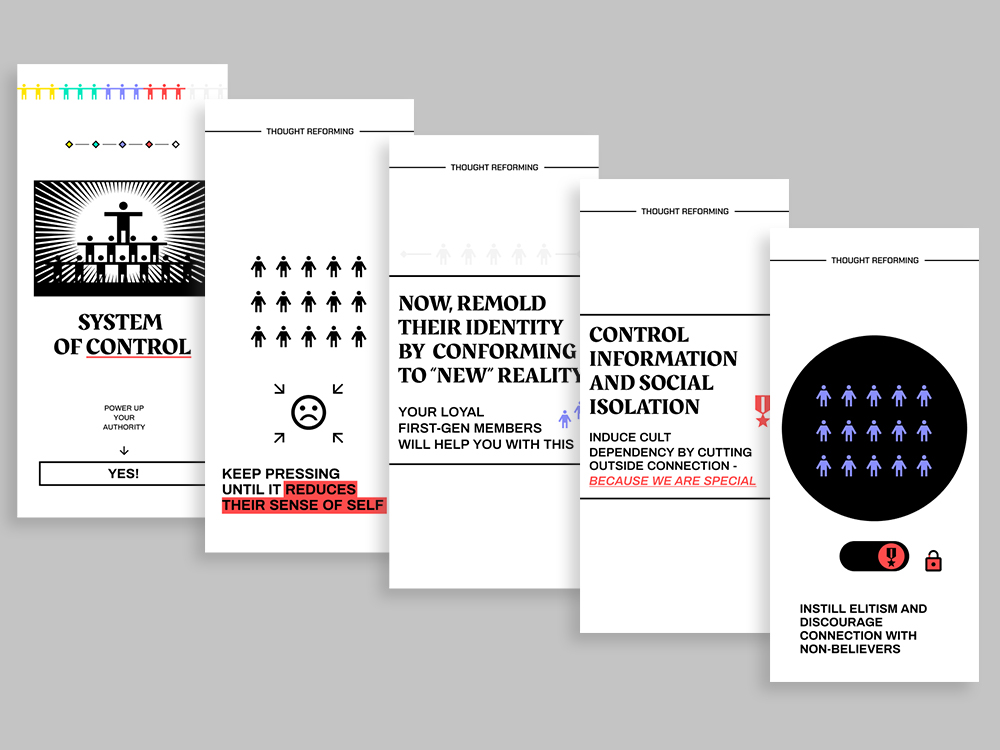
interaction
I wanted the interaction to play a vital role of the narrative rather than just a proceed next button.
Each screen interaction is designed with one goal in mind - it has to compliment the narrative while immersing the user as they proceed from one action to another.
As most of the interaction is highly customized for each sections, Origami was the perfect tool to add that final magic touch.
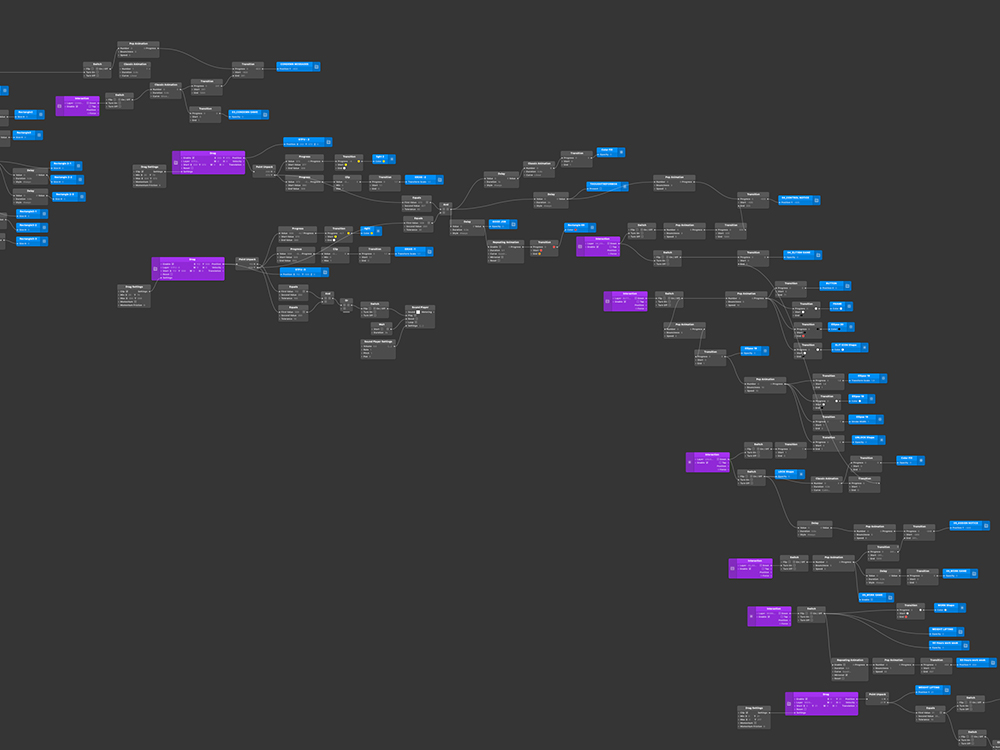


Designing the interaction for each scene was most enjoyable part for this project.
Especially when motion gestures are involved, I love how it gave an extra layer of realism to a screen-based experience.
reflections
1
Introducing unusual form of interaction could be a double edge sword.
As nice as it adds delightful surprising factor to the users, it could also add on to their mental load which may cause distraction from the actual context.
2
Always observe user's intuitive reactions while they are interacting. Sometimes the best feedbacks are found in the unspoken language.
3
Wait...how do we know that we're not living in one already?
⚑